Switching to Zorin OS 18 on my Zenbook
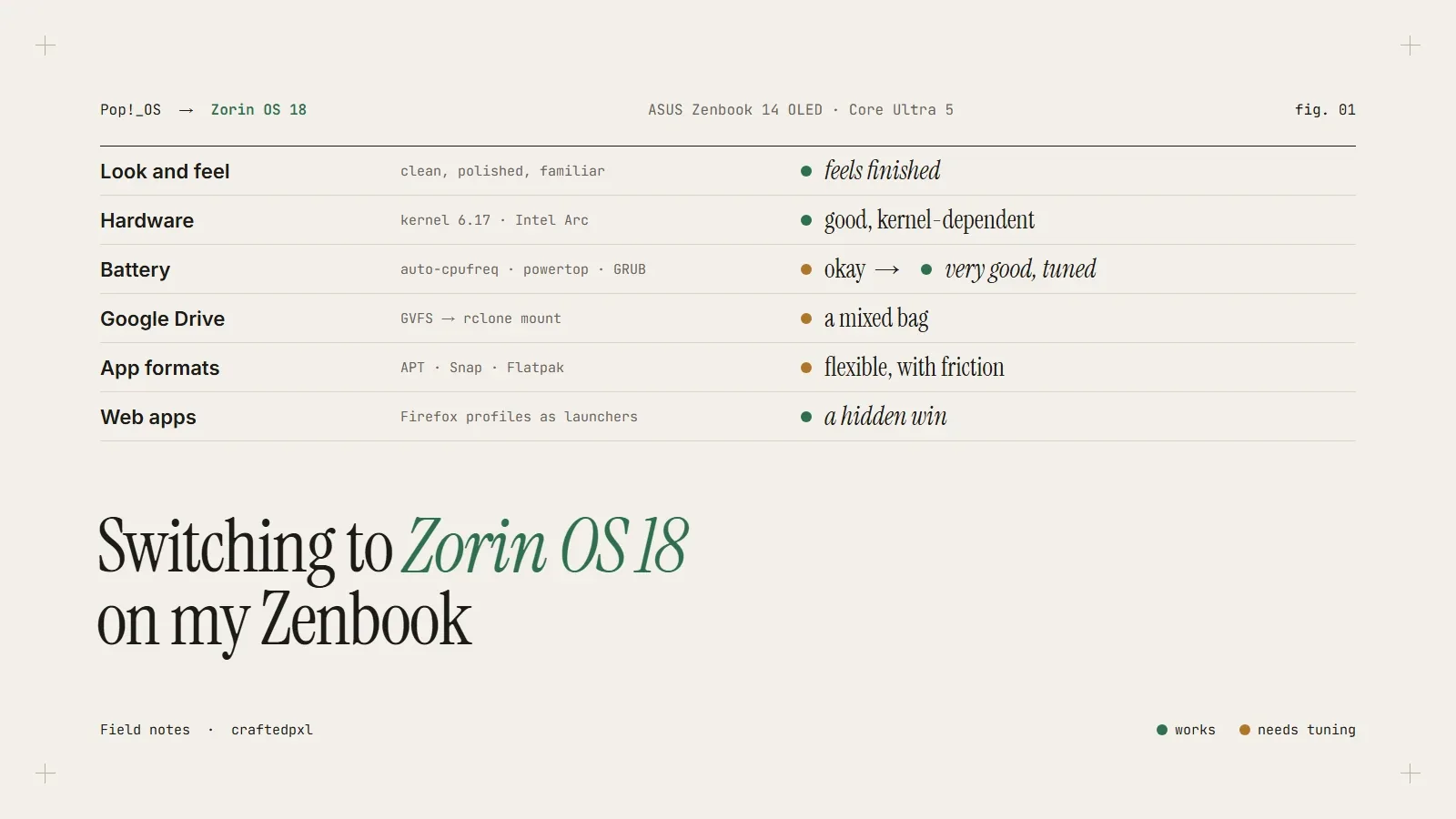
Switching to Zorin OS 18 on My Zenbook: A Real-World Experience
I recently replaced Pop!_OS with Zorin OS 18 on my "ASUS Zenbook 14 OLED (Intel Core Ultra 5)" — a modern ultrabook with bleeding-edge hardware. I went in expecting a more polished, user-friendly Linux experience. What I got was exactly that… with a few trade-offs worth talking about.
Here’s the honest breakdown.
First Impressions: Clean, Polished, Familiar
Zorin’s biggest strength is obvious within minutes: it feels complete.
Compared to Pop!_OS, which leans toward a developer-focused workflow, Zorin is clearly designed for:
* ease of use
* visual polish
* familiarity (especially for Windows/macOS users)
The UI is smooth, the layout is intuitive, and everything just looks finished. For someone who switches between systems or wants a clean daily driver, this matters more than people admit.
Hardware Compatibility: Surprisingly Solid
My main concern was hardware support — the Core Ultra (Meteor Lake) CPU and Intel Arc graphics are still relatively new.
Zorin handled it better than expected:
Kernel 6.17* worked out of the box
* Intel Arc GPU was recognized properly
* No major driver issues
That said, this only worked because the kernel was already modern enough. On older Zorin installs, you would need to upgrade the kernel manually — something less experienced users might struggle with.
Verdict: Good, but dependent on kernel version
Battery & Performance: Needs Manual Optimization
Out of the box, battery life was decent — but not impressive.
After tuning (auto-cpufreq, powertop, GRUB tweaks), things improved significantly:
* lower idle drain
* quieter fans
* better thermal behavior
Still, compared to Pop!_OS or Fedora:
* Zorin doesn’t optimize aggressively by default
you need* to tweak for best results
Verdict:
* Default: okay
Tuned: very good*
Google Drive & Workflow: A Mixed Bag
Zorin’s built-in Google Drive integration is convenient — but limited.
It uses a virtual file system (GVFS), which means:
* files aren’t truly local
* apps like VS Code can struggle with it
I hit this immediately when trying to open projects. The fix was switching to rclone, which mounts Drive as a real directory.
Lesson:
Zorin is user-friendly, but power users will outgrow the default tools quickly.
App Ecosystem: Flexibility vs Friction
Linux app management is always a mix of formats:
* APT
* Snap
* Flatpak
Zorin supports all of them, but this creates inconsistency.
Example:
* WhatsApp (Snap version) → crashed constantly
* Solution → replaced with a Firefox web app
Similarly:
* VS Code Flatpak works, but sandboxing can limit file access
* .deb version is still better for development
Verdict:
* Flexible
But requires understanding what you’re installing*
Web Apps as Desktop Apps: A Hidden Win
One of the best things I set up was turning web apps into native apps:
* ChatGPT
* WhatsApp
* Google services
Using Firefox profiles and custom launchers, I created:
* separate app windows
* isolated sessions
* no browser clutter
This ended up being more stable than native Linux apps, especially for services that don’t officially support Linux well.
This is a workflow I’ll keep even outside Zorin.
Downsides
Let’s be honest — Zorin isn’t perfect.
Slightly behind cutting edge
* Not as up-to-date as Fedora
* New hardware sometimes needs manual fixes
Requires tweaking for performance
* Battery optimization isn’t automatic
* Needs tools like auto-cpufreq
App fragmentation
* Snap vs Flatpak vs APT confusion
* Some apps (like WhatsApp) are unreliable
Final Verdict
Zorin OS 18 sits in an interesting spot:
* More polished than Pop!_OS
* More user-friendly than Fedora
* Less bleeding-edge than both
For me, it turned into:
👉 a beautiful, stable daily driver
👉 that still requires some technical tuning
Who Should Use Zorin?
Great for:
* Users coming from Windows/macOS
* People who value UI and simplicity
* General productivity + light dev work
Less ideal for:
* bleeding-edge hardware users who want zero setup
* heavy dev workflows needing full control
Final Thought
Zorin doesn’t try to be the most powerful distro —
it tries to be the most comfortable one.
And honestly, after tuning it a bit,
that comfort goes a long way.
About the Author
CraftedPxl is a digital playground exploring the intersection of design, code, and photography.