 rulomi/ Phone automation On Google Play
Less tapping. More living.
Describe a routine in one sentence and Rulomi turns it into a typed plan — capped to what an Android phone can actually be asked to do, shown back to you in plain words, and inert until you enable it.
- Platform
- Kotlin · Compose
- Planner
- Claude · Offline
- Storage
- On-device
 v0.5.0 · Google Play
Two steps, then it's yours.
Captures from the running app on a phone, not a mockup. Pale canvas, one forest green, one lime — the accent is reserved for the thing you are about to do, which is why the review step is where it turns up most.
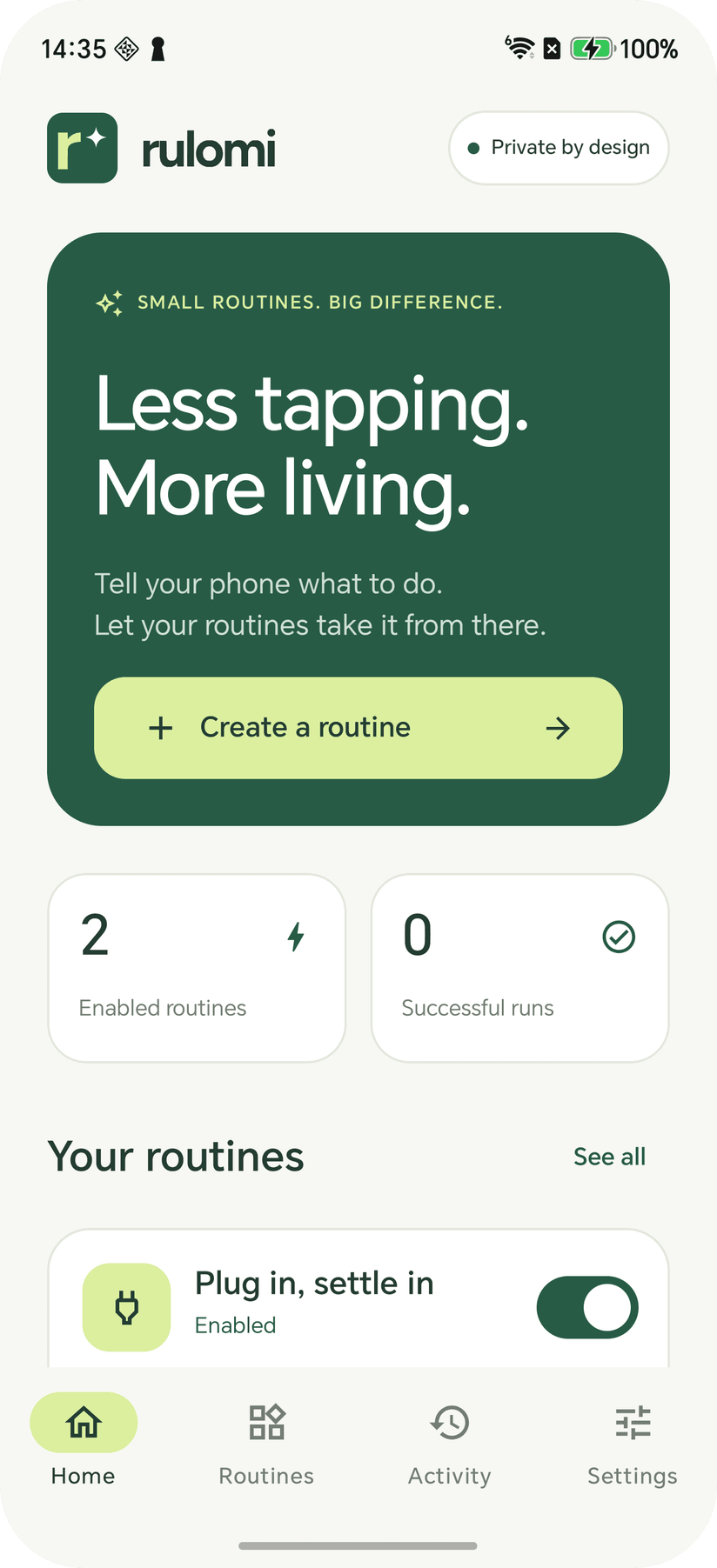
Home
Enabled routines and successful runs up top, then your routines with a switch each. Activity records every run as successful, skipped, blocked or partial, and Settings holds the AI planner switch, Rulomi Plus and the routine export.
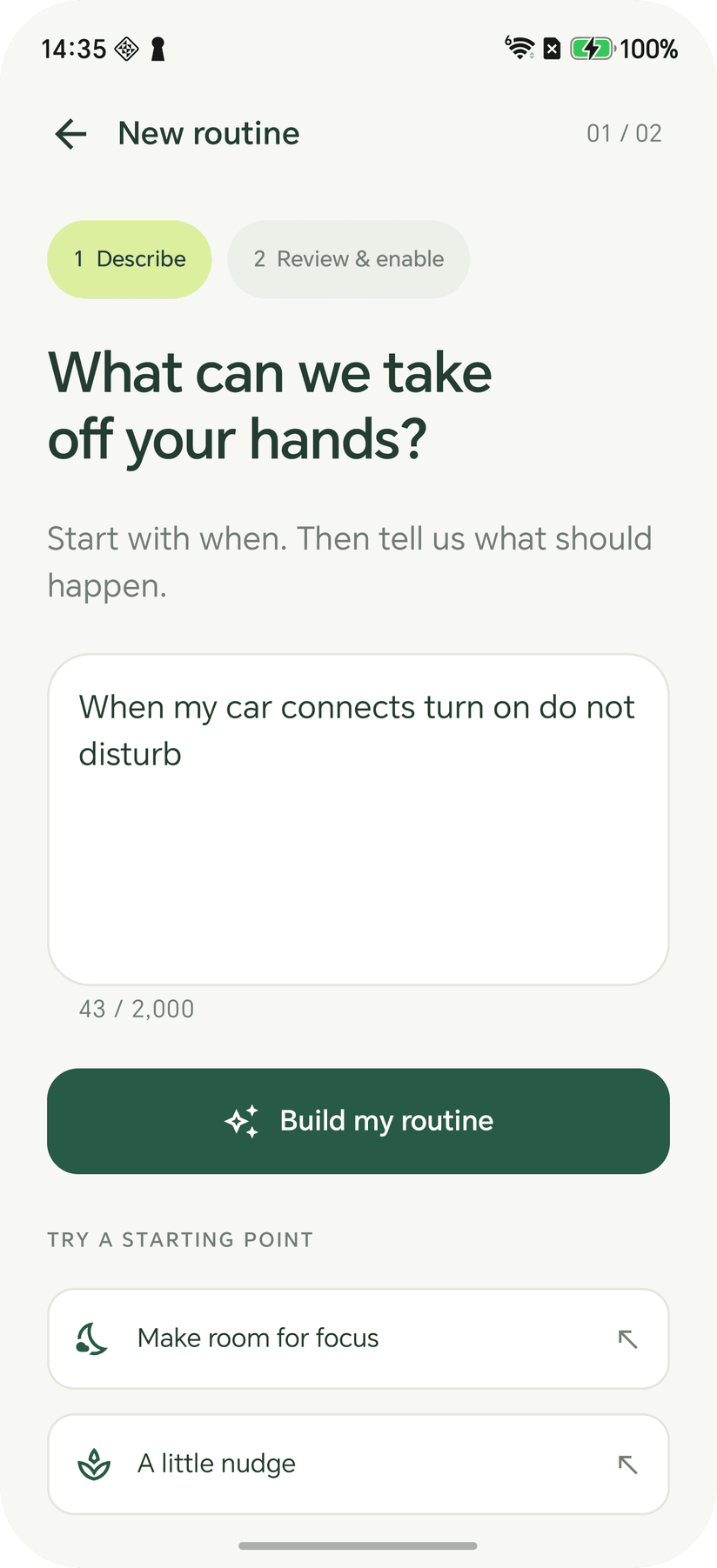
01 — Describe
One free-text field with a 2,000-character budget. “When my car connects turn on do not disturb” is a whole routine. The offline planner tries it first, and Claude only sees it if that fails and you've agreed.
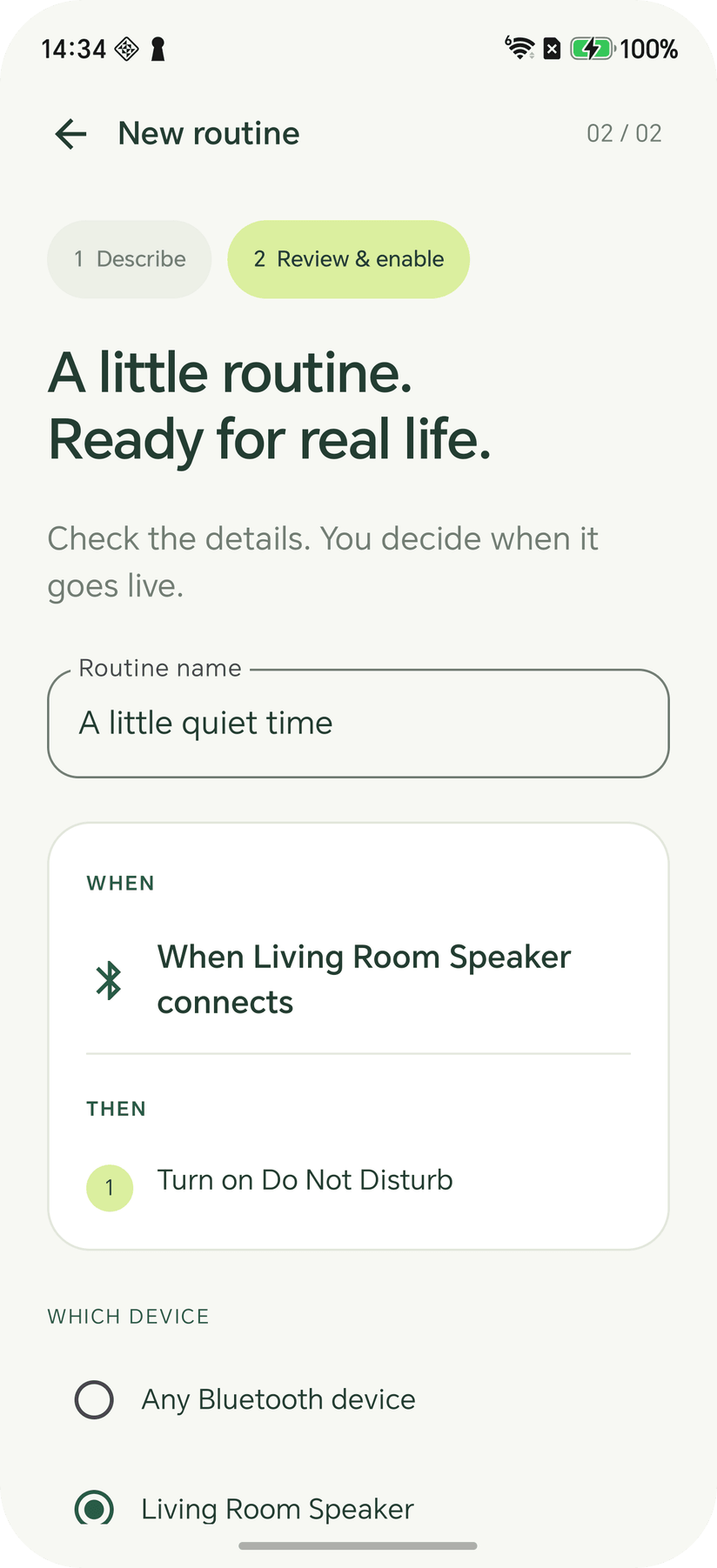
02 — Review & enable
WHEN and THEN in plain words, the actions numbered in the order they run, and a picker when the routine names a Bluetooth device or an app. Below them, what the routine leaves the phone set to, and a warning if it clashes with another routine.
Six things, done properly.
Say it in a sentence
DescribeA trigger, then one or more actions, in ordinary English. An offline planner reads supported phrasings on the phone and never sends a word anywhere. When it can't place your wording and you've agreed to it, Claude plans it through a small Cloudflare Worker. No account, no API key.
Nothing runs unreviewed
ReviewEvery plan lands on a review screen first, with the trigger, the numbered actions and the access each one needs. It shows what the routine leaves the phone set to, and warns when two steps, or two routines, set the same thing at the same moment.
Seventeen ways to start
TriggersA time on the days you pick, charging, battery, Wi-Fi, Bluetooth and headphones. A notification from an app, or one containing given words. Opening or leaving an app. A shake, face down or up, the proximity sensor, the screen turning landscape, the room going dark. Add up to four “only if” conditions.
A dozen things it will do
ActionsNotify or speak your own text, set any of four volumes, the ringer mode, brightness or screen timeout, toggle the flashlight, auto-rotate or Do Not Disturb, and clear one app's notifications. Up to eight in sequence, with waits of up to six hours between them.
It puts things back
Restore“Restore everything after 2 hours”, or “put it back when it ends”, records the volumes, brightness, ringer, Do Not Disturb, timeout and rotation when the run starts and sets them back afterwards, so a routine that silences the phone in one app can undo itself when you leave it.
Routines stay on the phone
PrivacyRoutines and run history live in private app storage, excluded from cloud backup. Notification routines read each notification's app, title and text on the phone and let it go; none of it is sent, cached or logged. Turn the AI planner off in Settings and nothing leaves at all.
Also in the build
- Run now, behind a confirmation
- Quick Settings tile
- Home-screen shortcuts
- Edit a routine by typing the change
- Export and import routines
- “Why isn't it working?” on every routine
- Late and missed alarms recorded
- Activity log of the last 100 runs
- Pause monitoring from the notification
- Bluetooth device and app pickers
- Five free AI plans, 100 more with Plus
- AI planner switched off in Settings
It asks before it acts.
- A plan you haven't read can't run
- There is no path from typing a sentence to a live routine that skips the review screen, and a manual Run now still needs its own confirmation.
- Half-understood is refused, not guessed
- An instruction outside the supported triggers and actions produces an explanation and cannot be enabled. Nothing is quietly approximated into the nearest thing that does exist.
- The limits are on the page
- Force-stop ends monitoring. OEM battery management can interrupt it. Inexact alarms drift. The app says so, records the runs that arrived late or never arrived, and each routine's troubleshooter checks access, monitoring and battery optimisation on the phone.
Where the care went.
- Model output is data, never a command
- Both planners emit the same typed Automation. The Worker validates it against a schema and the app validates it again before the review screen — it is never turned into a shell command or an arbitrary Android intent.
- Planning has no Android in it
- Models, the offline planner and the schedule maths live in an Android-free module with its own unit tests, so the part most likely to be wrong is the part that runs on a JVM in a second.
- 19 MB down to 1.7
- The release build runs R8 with resource shrinking, which drops the unused Material icon set. Dependencies are pinned, and the release build is roughly a tenth the size of the debug one.
rulomiRulomi 0.5.0 is a functional early version, not Tasker parity. It is on Google Play for Android 8.0 and newer, with no account to create.
Get it on Google PlayBack to The Lab