Every account, in order.
Cash, cards, metals and crypto in a single net-worth view. Budgets that only ever count what you actually spent, prices that always say how old they are, and a ledger that has no account and no server behind it.
- Platform
- Kotlin · Compose
- Storage
- On-device
- Prices
- CoinGecko · metals.dev
 v1.0.2 · Google Play
The app, screen by screen.
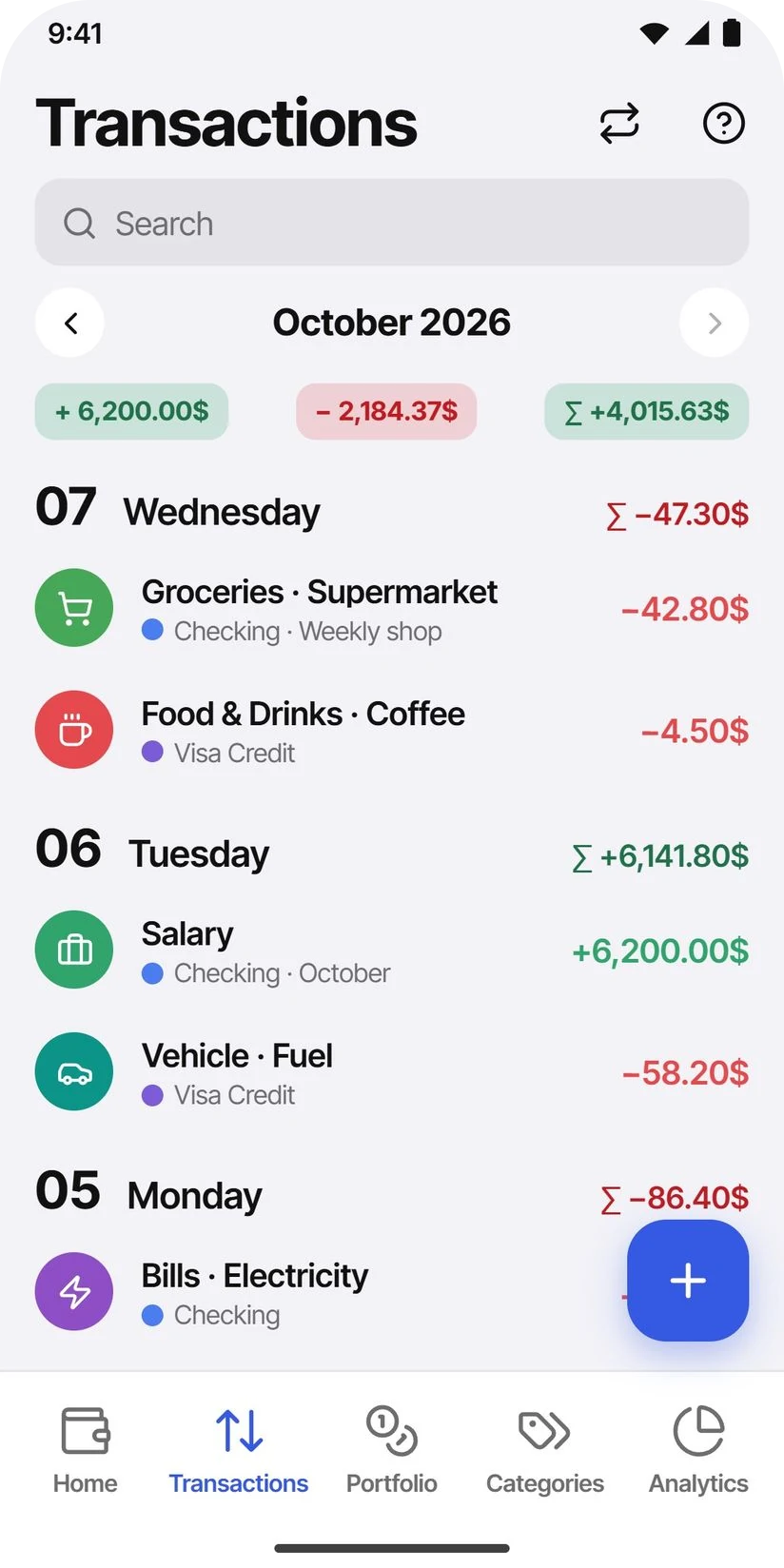
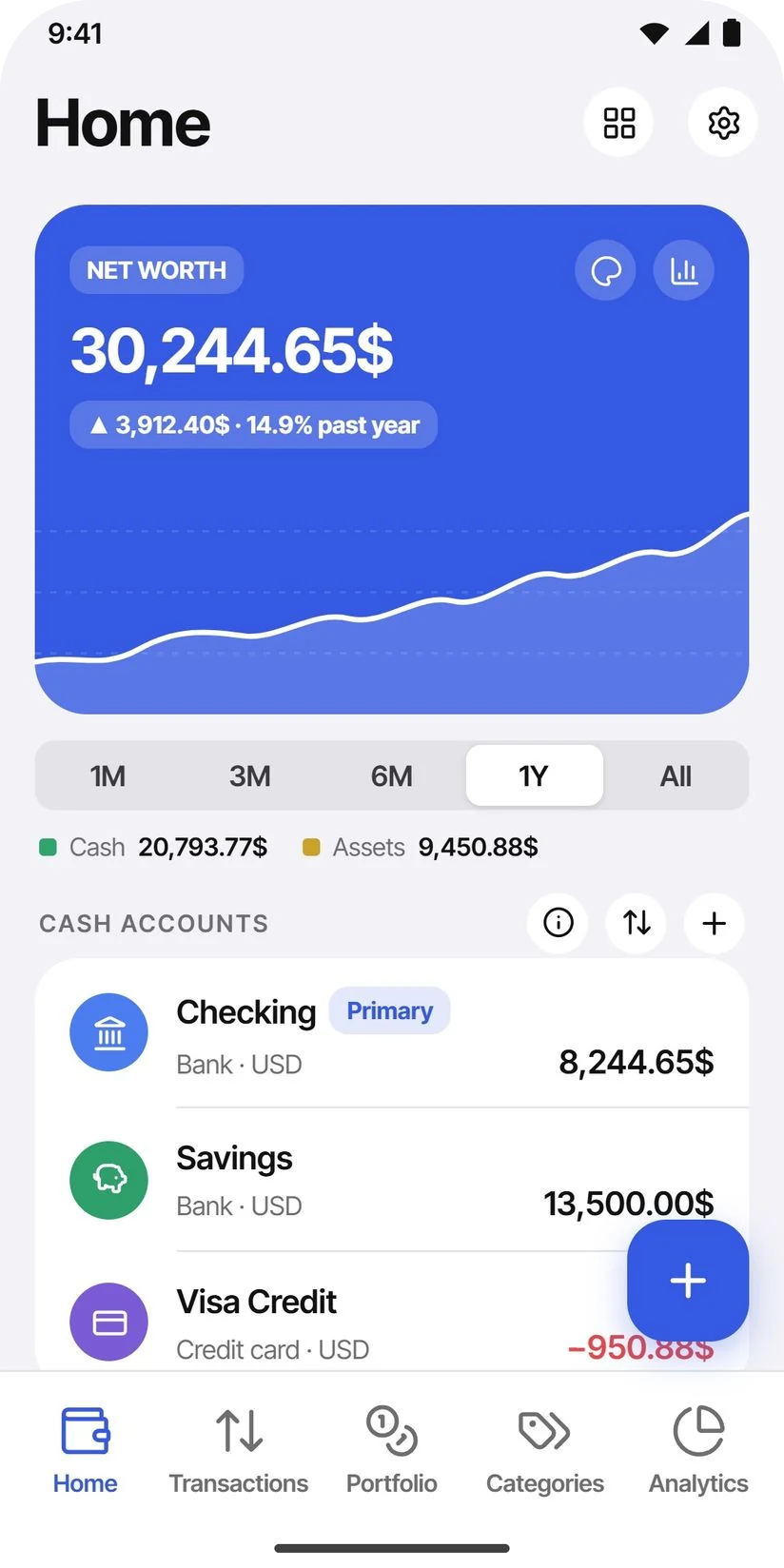
The seven screens from the Google Play listing. A light system-gray canvas, white rounded cards and saturated category tokens, with the brand’s cobalt on the chrome and the net-worth card. The navigation is the shipped one: five tabs, with Portfolio and Categories among them and Settings behind the gear on Home. Income and every gain figure stay green, and expenses red, because a ledger whose gains stop being green is one people misread at a glance.
Home
Net worth and the past year behind it, split into cash and assets, then the cash accounts. One figure, one currency, whatever each account is denominated in.
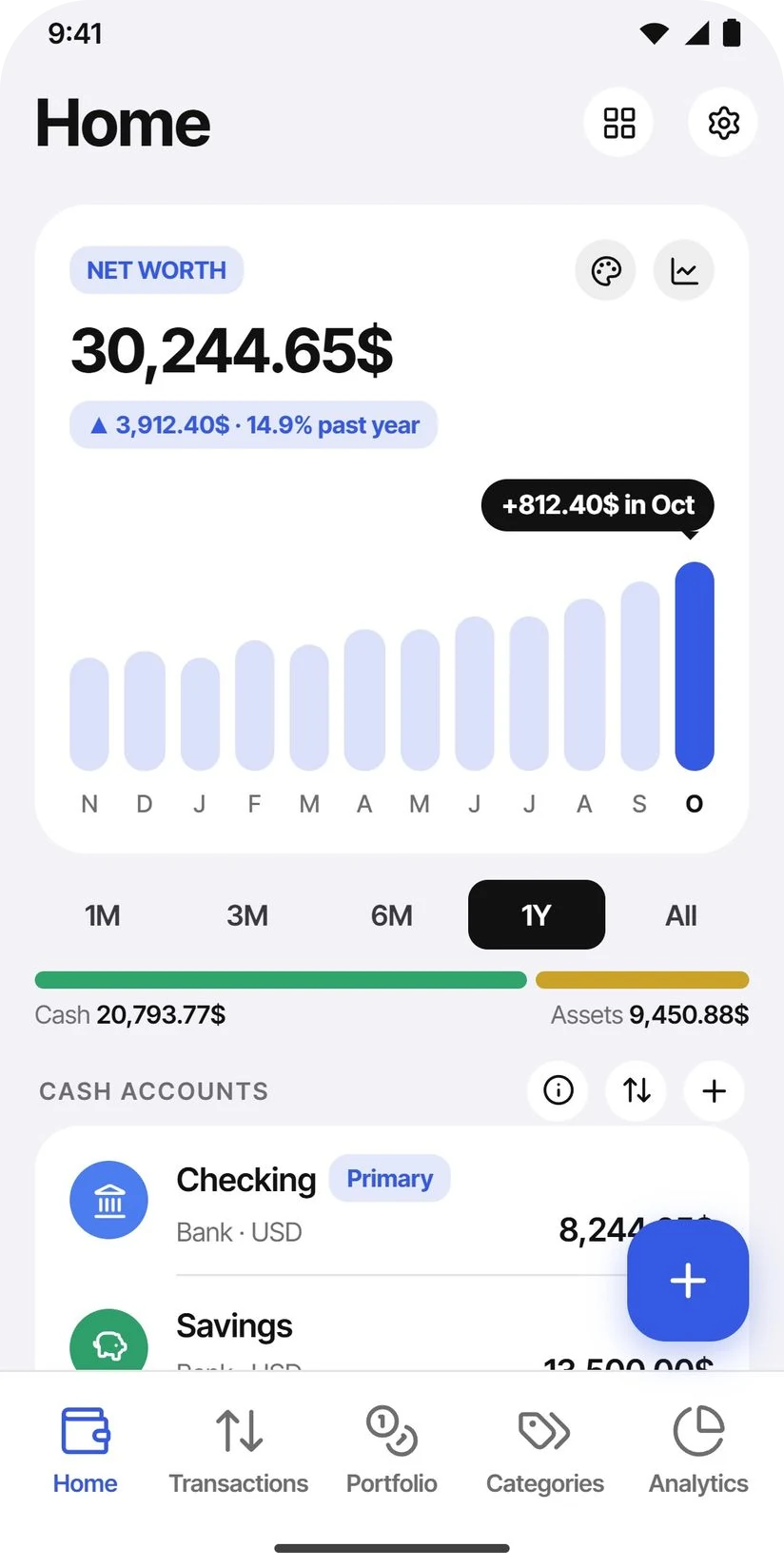
Home — by month
The same card as a bar chart: how much net worth moved each month, with the latest month called out.
Transactions
Grouped by day with a running daily total; the month's income, expenses and net sit in the header. Search runs across notes, categories and account names.
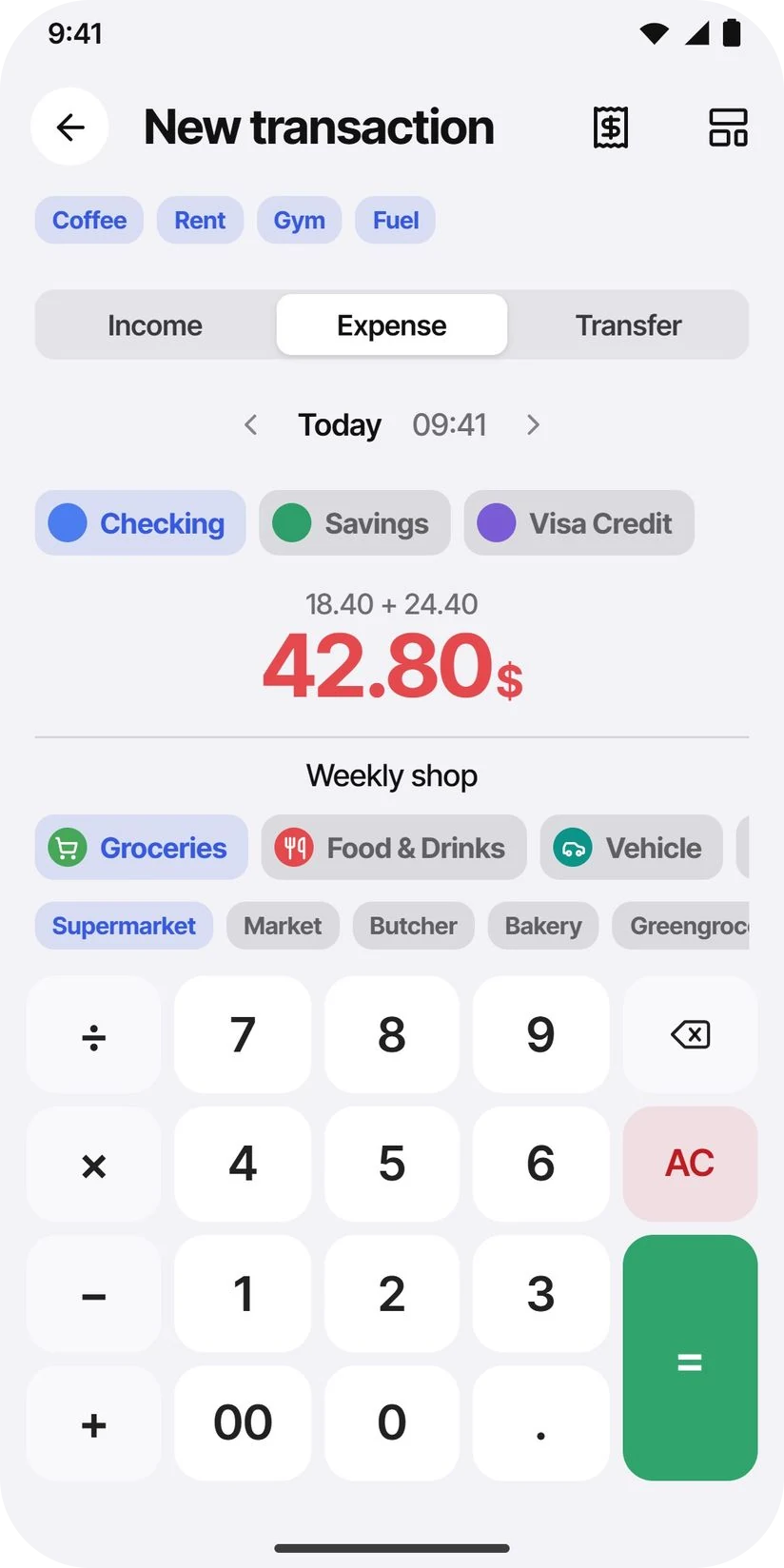
New transaction
Income, expense or transfer on a keypad. The amount field takes arithmetic, so a split bill is typed as a sum, and templates sit above it as chips.
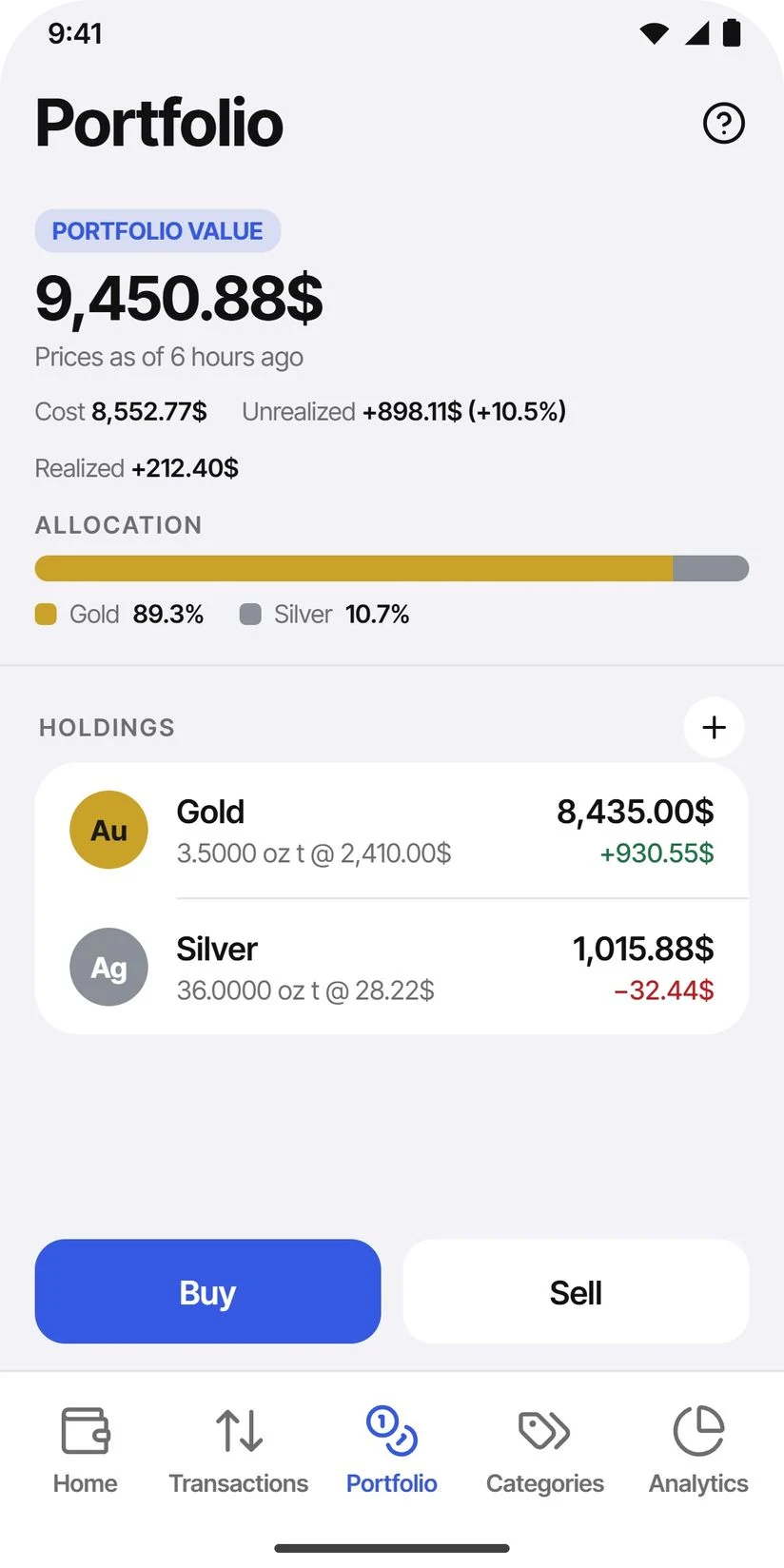
Portfolio
Cost, unrealized and realized gain as separate figures, with how old the prices are under the total. Each metal is listed at its own weighted average.
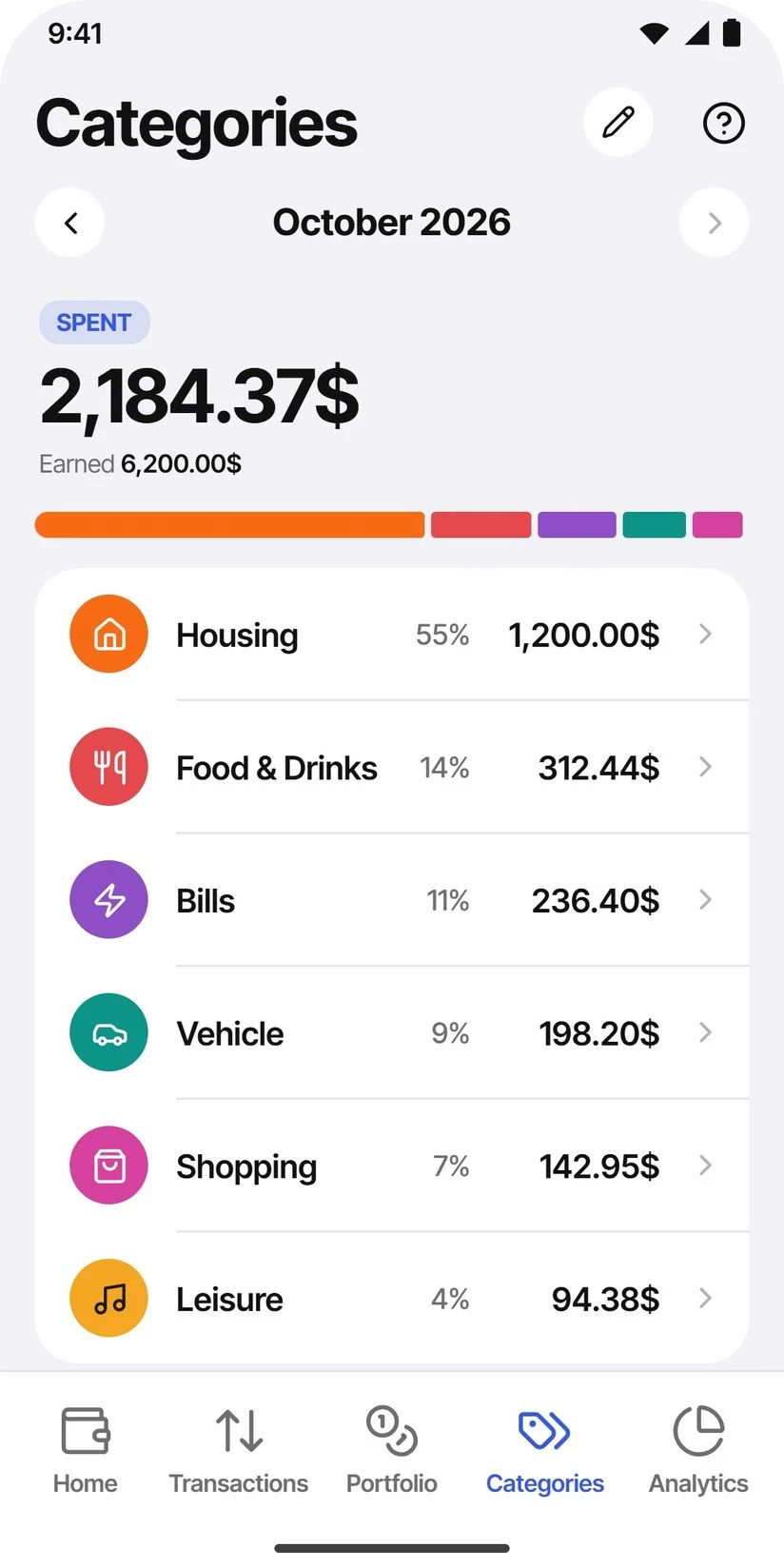
Categories
What the month cost, ranked by share of spend, with what came in underneath. Categories nest, and merging two folds their history together.
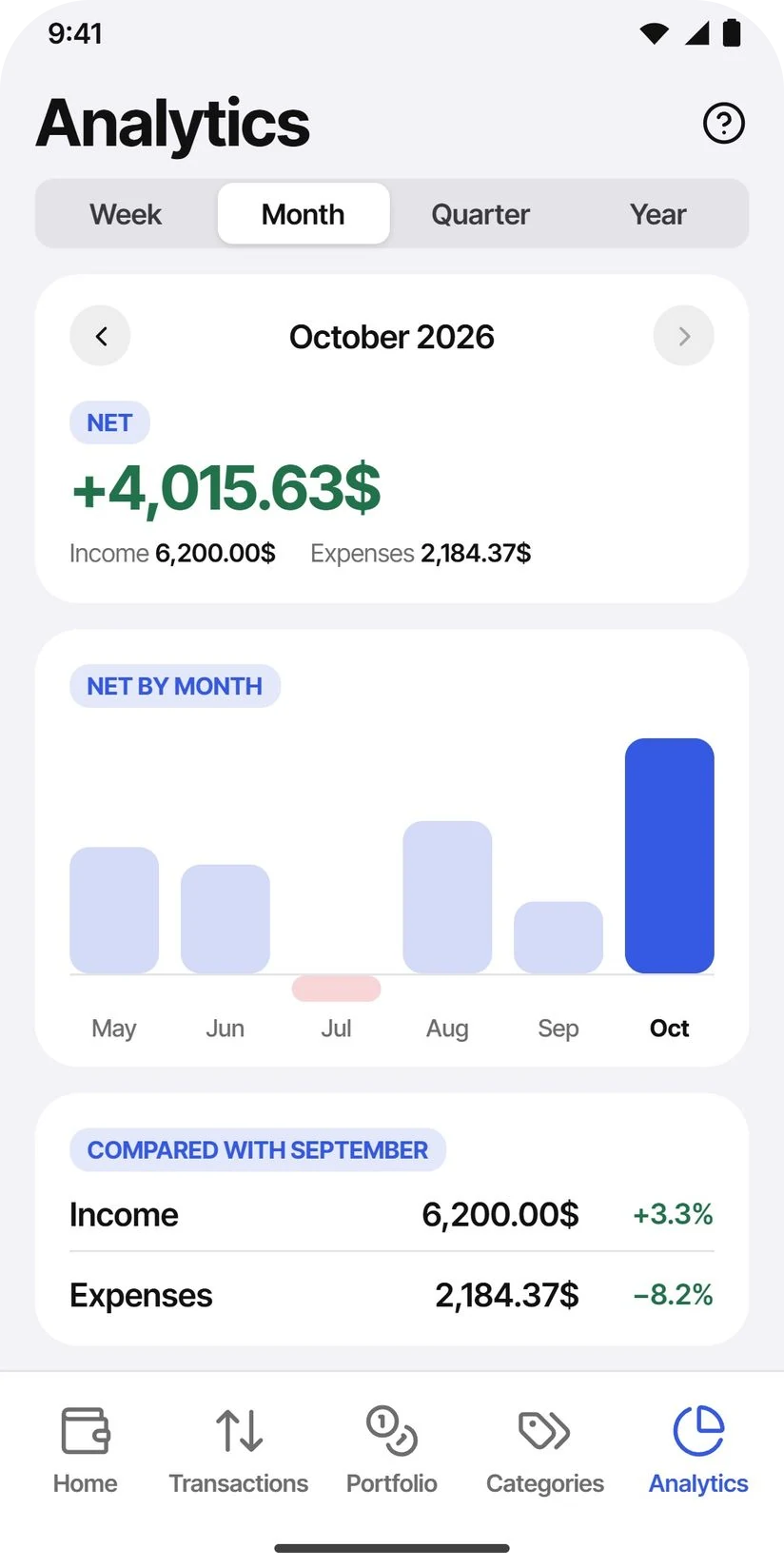
Analytics
Net by month, then income and expenses against the previous period. The period runs from a week to a year and drives every tab.
Six things, done properly.
One ledger
AccountsCash, current and savings accounts, credit cards, and the metals and crypto you hold — rolled into a single net-worth figure. Each account keeps its own currency and converts into the main one, chosen once at setup.
Budgets that can't lie
Expense-onlyBudgets read no price, ever. Transfers never count — buying gold isn't spending — and a realized gain on a sale is never income, so it can never fill a budget. Roll-over, alerts and per-account scoping sit on top of that.
Metals & crypto
PortfolioQuantity, weighted-average cost, cost basis, unrealized and realized gains per asset — priced from CoinGecko and metals.dev, with the age of every quote on screen and the exchange rates coming keyless from the ECB.
Analytics
PeriodIncome, expenses and a zero-centred daily net, each against the previous period. The stepper runs from a week to all time, or a custom range, and the same period drives the net-worth curve.
Your data, in files
ExportThe whole ledger as JSON — optionally encrypted, AES-GCM behind 600,000 rounds of PBKDF2. Transactions as CSV for a spreadsheet or a tax return, and a PDF statement per account. Restoring one has an undo.
No account with us
PrivacyNo sign-up, no profile, no server of ours. Backup to your own Google Drive is opt-in, manual and asks every time — one file in the app-data folder, on the one scope that cannot see the rest of your Drive.
Also in the build
- Recurring transactions that post themselves
- Reusable transaction templates
- Biometric app lock
- Budget and standing-order notifications
- Drag to reorder accounts and home cards
- Calendar view of the ledger
- Category hierarchy and merge
- Light, dark and system themes
The ledger doesn't round in your favour.
- A price always carries its age
- No quote is ever shown on its own. Every figure says how old it is and whether it was fetched or hand-entered.
- Unvalued is named, not zeroed
- An asset with no price, or a currency with no exchange rate, is listed and excluded — never folded into the total as zero.
- A breach is the first thing you see
- Over-budget categories get their own group at the top, and what's left to spend goes negative rather than stopping at zero.
Where the care went.
- Money is never a float
- Amounts are decimal strings end to end, and provider JSON is read as raw token text rather than parsed to a number — a twenty-digit quote came back as a different price through a Double, once, and that was enough.
- Three units, never conflated
- What an asset is quoted in, counted in and displayed in are three separate types. Treating them as one was worth thirty-one times a holding before it was caught.
- Schema changes are tested, not assumed
- Eleven hand-written database migrations, each replayed in an instrumented test against committed schema snapshots, so an upgrade path is exercised rather than hoped for.
TidyWallet 1.0.2 is on Google Play for Android 8.0 and newer. There is no account with us, no server, and nothing to sign up for.
Get it on Google PlayBack to The Lab