Agent Extensions in Google Antigravity
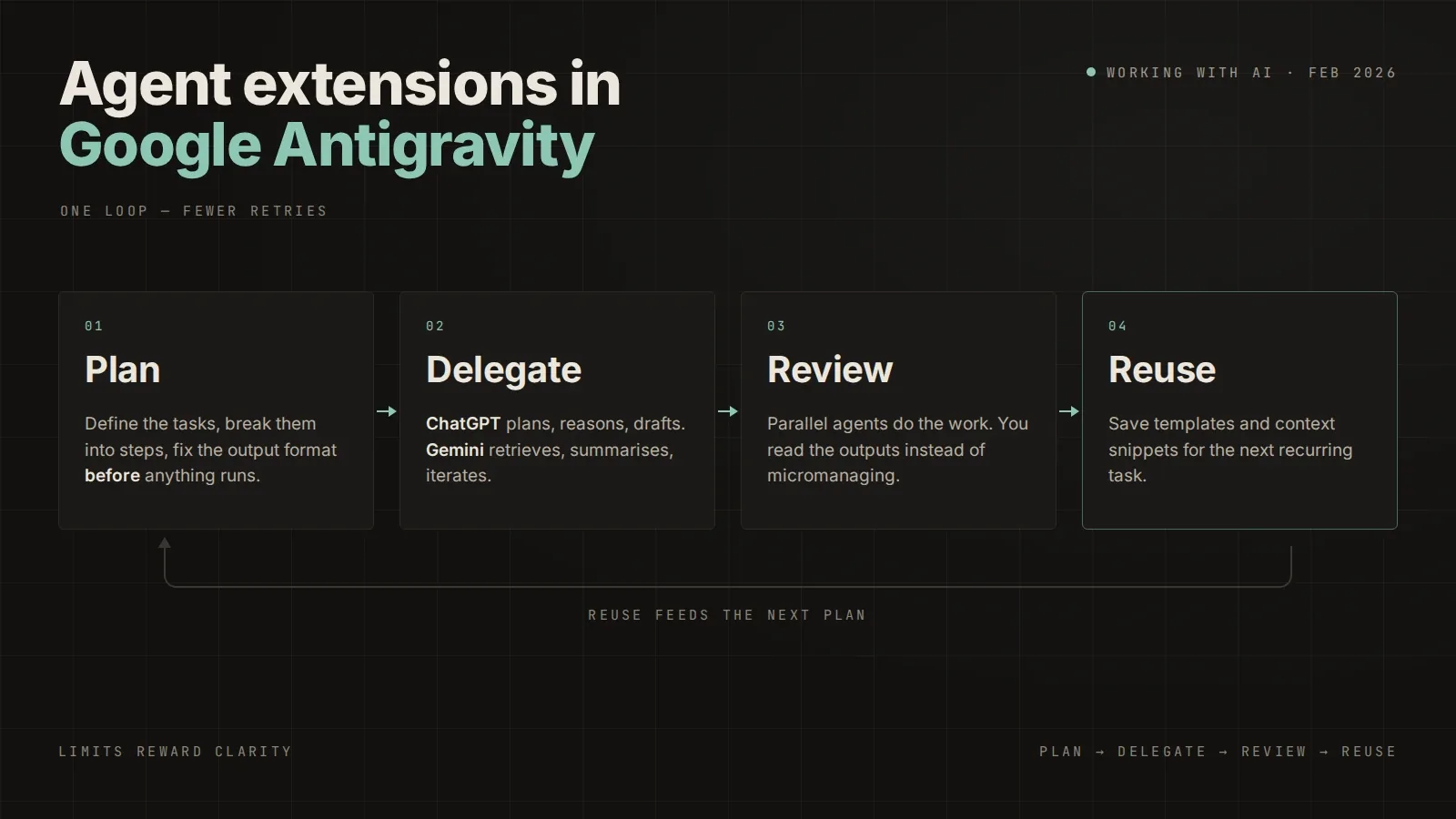
AI agents are powerful — but usage limits can slow momentum if you don’t work smart. Instead of trying to bypass limits, the goal is to use each model for what it does best and reduce wasted agent cycles.
Here’s a simple workflow that works well inside the ecosystem around Google tools and assistants from OpenAI.
1. Assign roles to each model
Don’t use one agent for everything.
* ChatGPT → planning, structured reasoning, long-form drafting
* Gemini → quick retrieval, summaries, and fast iteration
When each model handles its strengths, you spend fewer total requests.
2. Plan first, execute second
Start with one planning prompt:
* define tasks
* break into steps
* clarify output format
Then run execution prompts. This reduces trial-and-error loops that burn limits.
3. Keep prompts modular
Instead of one massive request:
* split work into smaller chunks
* reuse context snippets
* save templates for recurring tasks
Shorter cycles = lower agent load.
4. Use parallel workflows
If your environment supports multiple agents:
* one handles research
* another writes or codes
* you review outputs instead of micromanaging
You get more done without increasing total usage.
5. Treat limits as a productivity framework
Limits reward clarity. The clearer your prompt and workflow, the fewer retries you need.
Quick takeaway
You don’t need hacks — just better workflow design:
Plan → delegate → review → reuse.
That’s how you effectively maximize agent usage while keeping quality high.
About the Author
CraftedPxl is a digital playground exploring the intersection of design, code, and photography.