Rulomi is on Google Play
Rulomi 0.5.0 went public on Google Play today. It's the Android app I wrote about a month ago, where you type a routine as a sentence, read back the plan Rulomi made from it, and only then switch it on. It runs on Android 8.0 and newer, needs no account, and the release build is under 2 MB.
When I wrote that first post, the only way to try it was a debug-signed APK, and it understood eleven triggers and five actions. Most of the month since went into making the set of things it can do much wider, while keeping the rule that every routine is shown to you in full before it can run.
What it can do now
Triggers now go well past time, charging, battery, Wi-Fi, Bluetooth and headphones. A routine can start when an app posts a notification, optionally one containing given words, when you open or leave a particular app, when you shake the phone, turn it face down or face up, cover the proximity sensor, turn the screen to landscape, or when the light sensor says it's gone dark or very bright.
The action list grew the same way. Besides notifications, brightness and Do Not Disturb, a routine can speak a line through the phone's text-to-speech voice, set the media, ring, notification or alarm volume, switch the ringer between normal, vibrate and silent, change the screen timeout, toggle the flashlight and auto-rotate, and clear one app's notifications. It can also wait between steps, for up to six hours in total, so "turn on do not disturb, wait 30 minutes, turn off do not disturb" is one routine instead of two.
Conditions arrived too. "Every day at 11 pm set brightness to 10% only if charging and battery is above 50%" works, with up to four conditions per routine and one group joined by "or".
Routines can also put things back. End a description with "restore everything after 2 hours", or add "put it back when it ends" to a routine that reacts to a state, and Rulomi records the volumes, brightness, ringer mode, Do Not Disturb, screen timeout and auto-rotate when the run starts, then sets them back afterwards. A routine that silences the phone when you open an app can return it to how it was when you leave that app, with no second routine for the reverse.
Checks before and after a routine runs
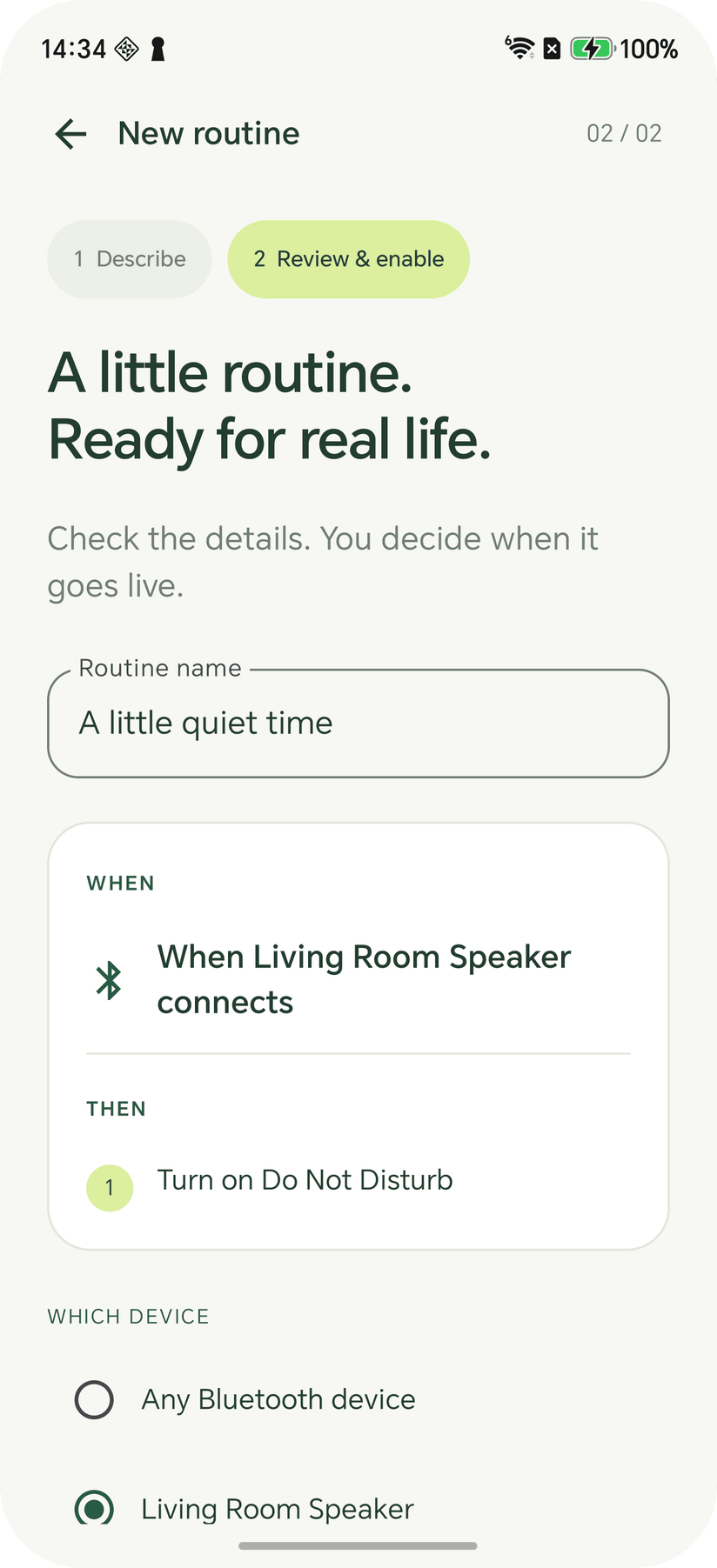
Every routine now shows what it leaves the phone set to. Before you save, Rulomi warns when two of its steps set the same thing at the same moment, or when another enabled routine fires at the same time and leaves that setting somewhere else, and enabling it anyway takes a deliberate tick.
When something doesn't fire, each routine's page has a Why isn't it working? button. It checks the access Rulomi holds, whether event monitoring is running, the next scheduled alarm, whether the phone's battery optimisation applies to Rulomi, and what happened on the last run, all on the phone. Where there's a fix, it offers it. Activity also records alarms that arrived five minutes or more late and alarms that never arrived, and after three of those in a row Home shows a card explaining that the phone is delaying Rulomi, with a button to Android's battery-optimisation list.
Running a routine from outside the app
There's a Quick Settings tile you can point at one routine, home-screen shortcuts for up to four, and an intent other apps can use to open a routine's run confirmation. On a locked phone with a PIN, the tile asks you to unlock first. Nothing outside Rulomi can run a routine without a tap from you, because an exported receiver that ran one silently would let any installed app change Do Not Disturb or turn on the torch.
Settings can also export every routine to a file you choose and import it again on a new phone or after a reinstall. Imported routines arrive paused.
The AI planner and Rulomi Plus
Rulomi still has two planners. The offline one runs on the phone, recognises supported English phrasings, and never sends anything anywhere. When it can't place your wording and you've agreed to it, the description goes to a small Cloudflare Worker that asks Claude Haiku 5.5 for a typed plan, and both the Worker and the app validate that plan before you see it. With the AI planner on, you can also edit an existing routine by typing the change, such as "make it 10 pm" or "only when I'm not charging".
Every install gets five AI plans free, permanently. Rulomi Plus is a one-time purchase of US$4.99 for 100 more AI plans that never expire. There's no subscription. A plan the Worker answers from its cache isn't counted, and a free plan the model couldn't turn into anything usable is given back. Anything the offline planner understands costs nothing and never leaves the phone.
Notification routines need Android's notification access, which is the most far-reaching thing Rulomi asks for, so the app explains it before sending you to the system switch. Each notification's app, title and text are compared with your enabled notification routines on the phone and then dropped. None of it goes to the Worker, to Anthropic, into Activity or into a backup file. The full details are in the privacy policy.
What it doesn't do
Rulomi doesn't take wake locks or poll aggressively, and that decides how the sensor triggers behave. The accelerometer stops reporting to an app once the screen is off, so a shake in your pocket does nothing, and turning the phone over with the screen off is noticed when it next comes on. Proximity usually keeps working with the screen off, and Rulomi checks that on your phone instead of assuming it. Location, naming a specific Wi-Fi network, and replying to messages or pressing notification buttons aren't supported. The last two are left out on purpose, because they're the point where an automation app starts acting as you inside other apps.
Force-stopping Rulomi, or an aggressive manufacturer battery manager, can still interrupt monitoring. The difference from a month ago is that the app notices when that happens and tells you.
If you had the early APK
The sideloaded 0.4.3 from September was signed with a debug key, so the Play build can't install over it. Uninstall it first. That version predates export, so its routines can't be carried over, and you'll need to describe them again, which with Rulomi takes a sentence each.
Rulomi is on Google Play, and the project page has the screens and more about how it's built.
Rulomi is a CraftedPxl project. Found a routine it should understand and doesn't? Get in touch.
About the Author
CraftedPxl is a digital playground exploring the intersection of design, code, and photography.