Rulomi turns a sentence into an Android routine
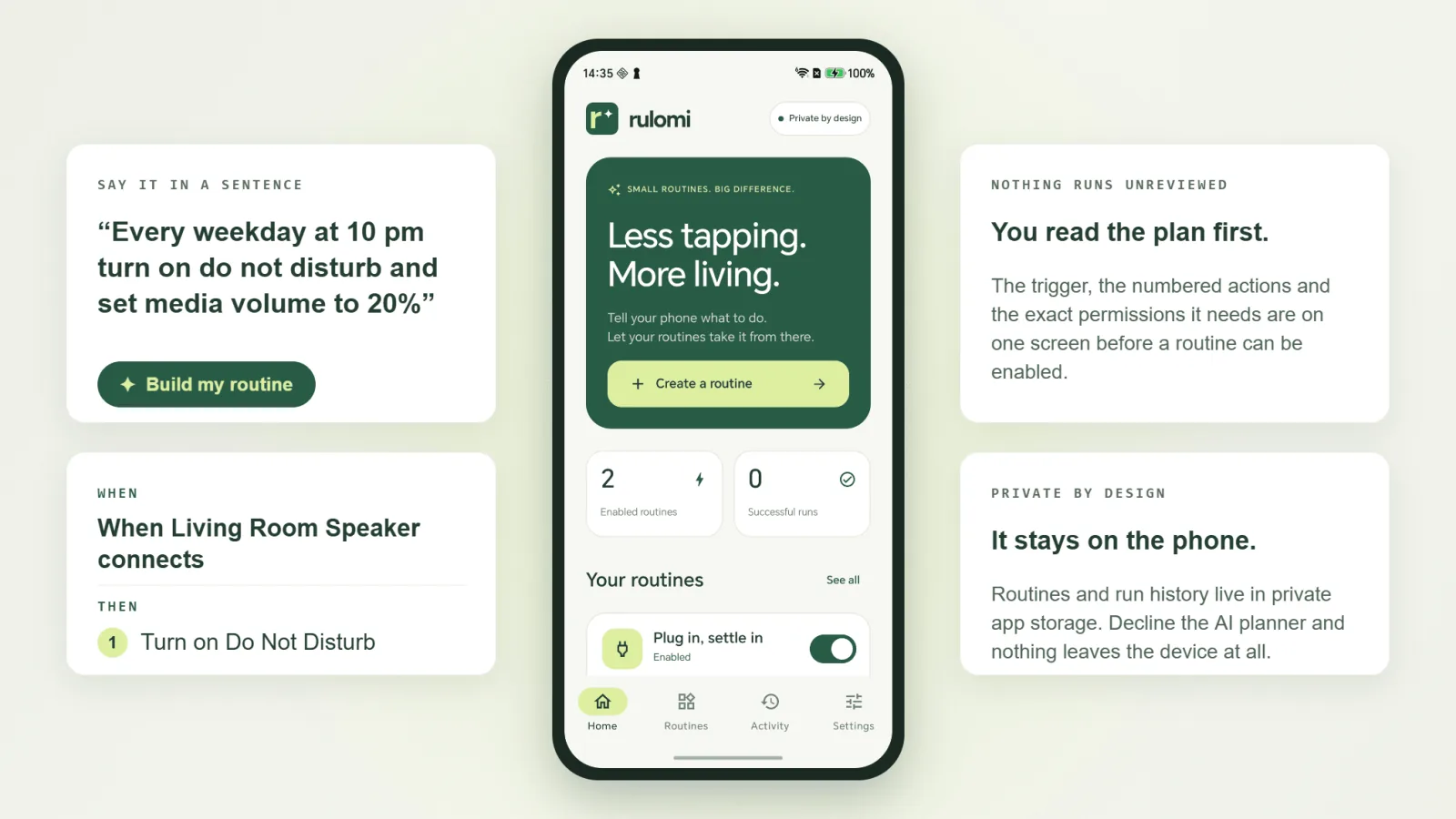
Rulomi is an Android app for personal automations. You type what you want to happen and when, and it hands back a routine you can read, check and enable. It's in development today, and this is a first look at what it does.
Phone automation usually means learning somebody's builder — a tree of conditions and actions, each hiding behind its own settings screen. Rulomi starts from the sentence you'd use to describe the thing instead, and does the translation for you.
Say it in a sentence
There's one text field and a 2,000-character budget. "Every weekday at 10 pm turn on do not disturb and set media volume to 20%" is a complete routine. So is "When battery drops below 20% notify me to charge the phone". You write the trigger first, then what should happen, and tap Build my routine.
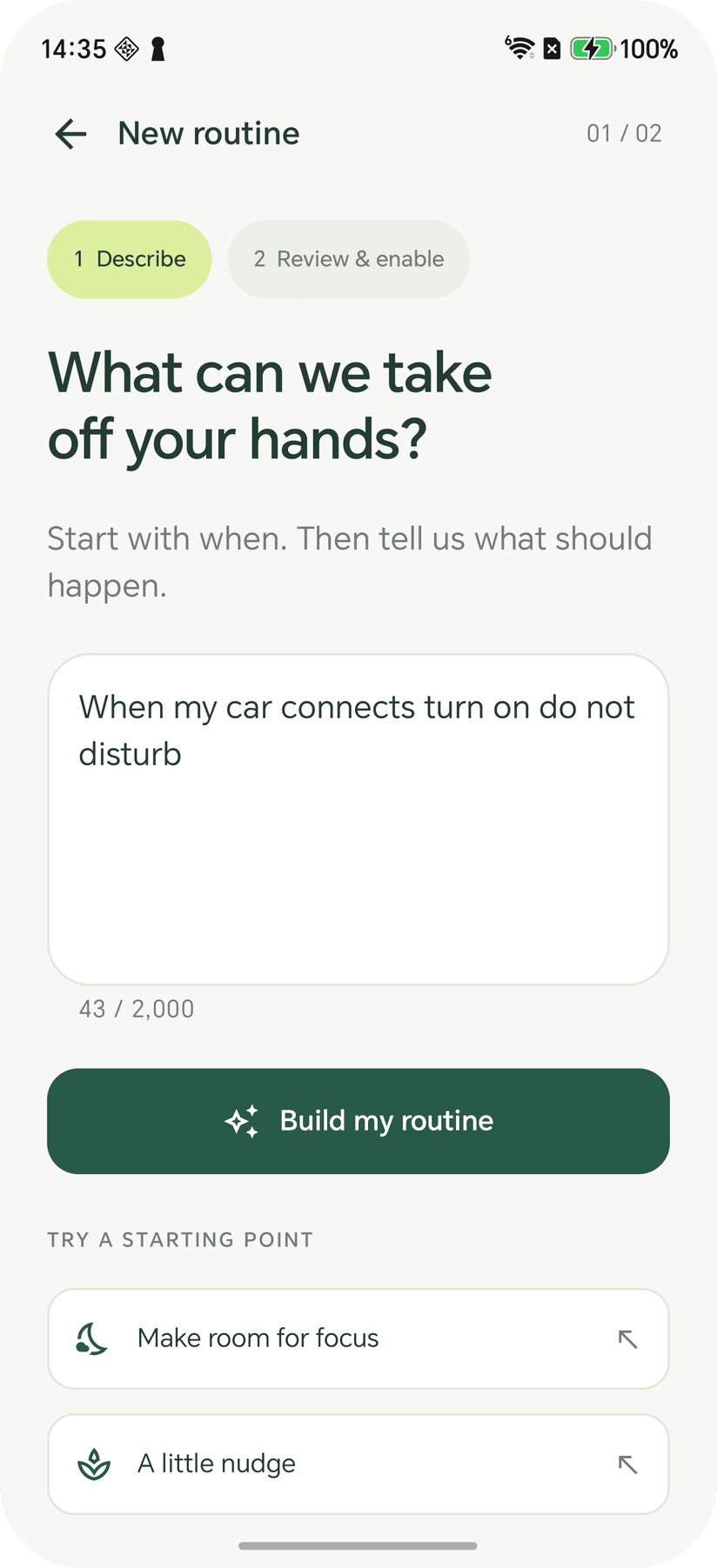
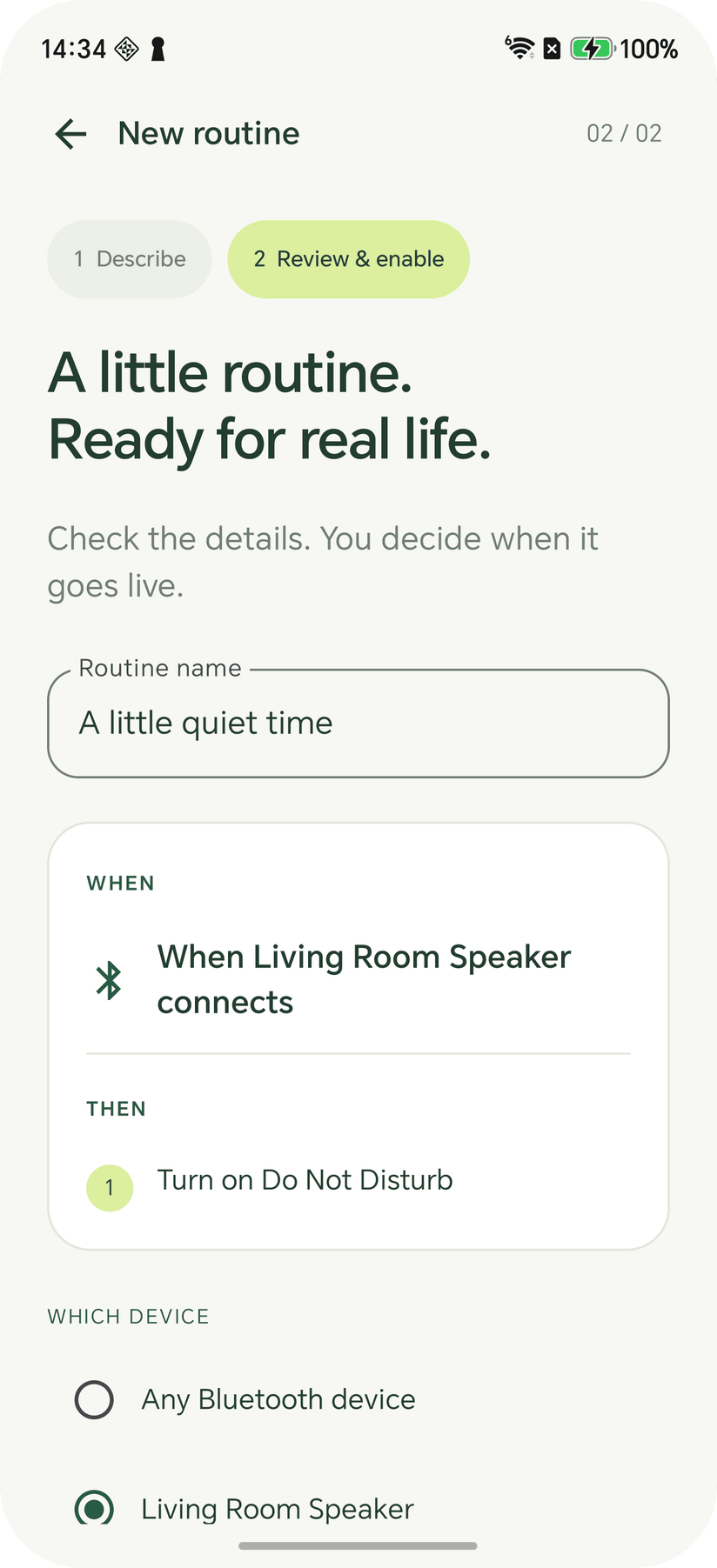
You read the plan before anything runs
The second step shows what Rulomi understood. The trigger and the actions come back spelled out in plain words, the actions numbered in the order they'll execute, under a name you can change. The Android permissions the routine needs are granted right there, so you can see what you're agreeing to while you're looking at what it's for. A routine that mentions a Bluetooth device asks which of your paired devices it meant.
There is no path from typing a sentence to a live routine that skips this screen. You can enable it, or save it paused and decide later, and a manual Run now still asks for its own confirmation before it fires.
What it can actually do
The plan is a typed value, and the type is deliberately small. Eleven triggers are supported today:
- Daily, weekday, or weekend at a time you give
- Charging starts, or the charger comes out
- Battery drops below a percentage
- Wi-Fi connects or disconnects
- A Bluetooth device connects or disconnects, any of them or one you choose
- Headphones plugged in or unplugged, wired or USB-C
Against those, five actions: a notification carrying your own text, media volume, screen brightness, Do Not Disturb on, and Do Not Disturb off. Up to eight of them run in sequence.
Anything outside that set is refused rather than approximated into the nearest thing that does exist. You get an explanation of what it couldn't do, and the routine can't be enabled. Location, naming a specific Wi-Fi network, reacting to incoming messages, delays between actions, and accessibility-driven UI workflows are all out of scope today, and the app says so instead of half-supporting them.
Two planners, and you pick
The first time you build a routine, Rulomi asks whether it may use the AI planner. Agree, and the description you typed, a random install ID, and the app version go over HTTPS to a small Cloudflare Worker, which forwards the description to Claude and returns a typed plan. Decline, and an offline planner handles everything from recognised English phrases. That one wants actions separated with "and" or "then" and quotes around notification text, and in return it never sends a word anywhere.
Both planners emit the same typed plan. The Worker validates the model's output against a schema, and the app validates it a second time before the review screen ever draws, so what comes back from a model is data the app understands and never a shell command or an arbitrary Android intent.
Saved routines, run history, and every device identifier other than that random install ID stay in private app storage, excluded from cloud backup and device transfer. The AI planner can be switched off in Settings at any time, and the offline one takes over from there.
The limits are in the app, not in the small print
Automation on Android isn't guaranteed, and pretending otherwise would just make the failures confusing. Force-stopping the app ends monitoring until you open it again. OEM battery management can interrupt it. Exact alarm scheduling is optional special access that Android is allowed to withhold, and without it a scheduled run can arrive late. Rulomi says all of that where you can see it.
The same goes for what already happened. Runs are recorded as successful, blocked, or partial, and a partial run tells you how many actions got through before it stopped. Permissions are checked before any action executes, and a failure part-way stops the rest rather than pressing on.
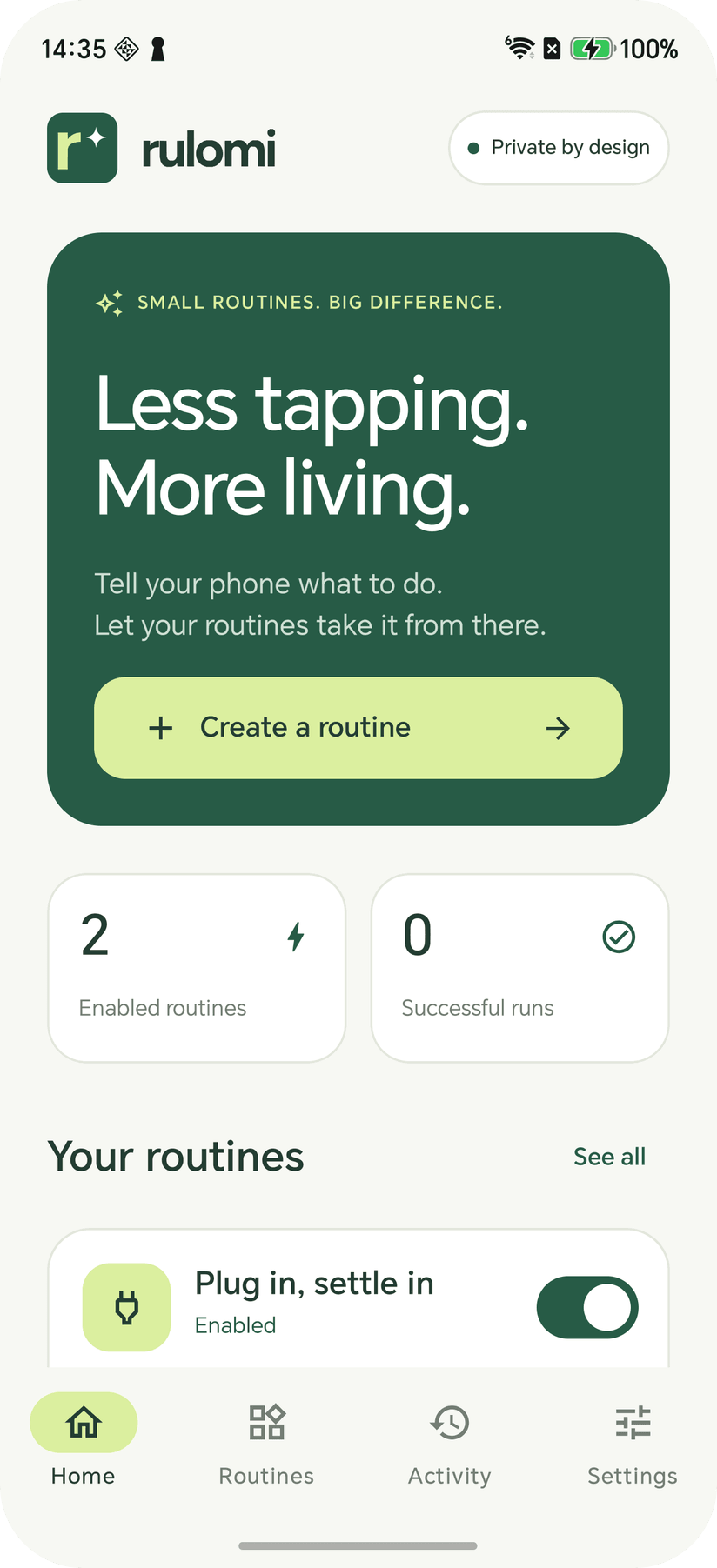
Where it is today
Rulomi is in development — Kotlin and Compose on the phone, a Cloudflare Worker behind the AI planner, no account to create and no API key to supply. The release build is debug-signed for evaluation, so there's nothing to install from a store yet. There's more detail and the full set of screens on the Rulomi project page.
Rulomi is a CraftedPxl project. Following along, or want early access when it's ready? Get in touch.
About the Author
CraftedPxl is a digital playground exploring the intersection of design, code, and photography.