TidyWallet's Forecast: see the day an account dips
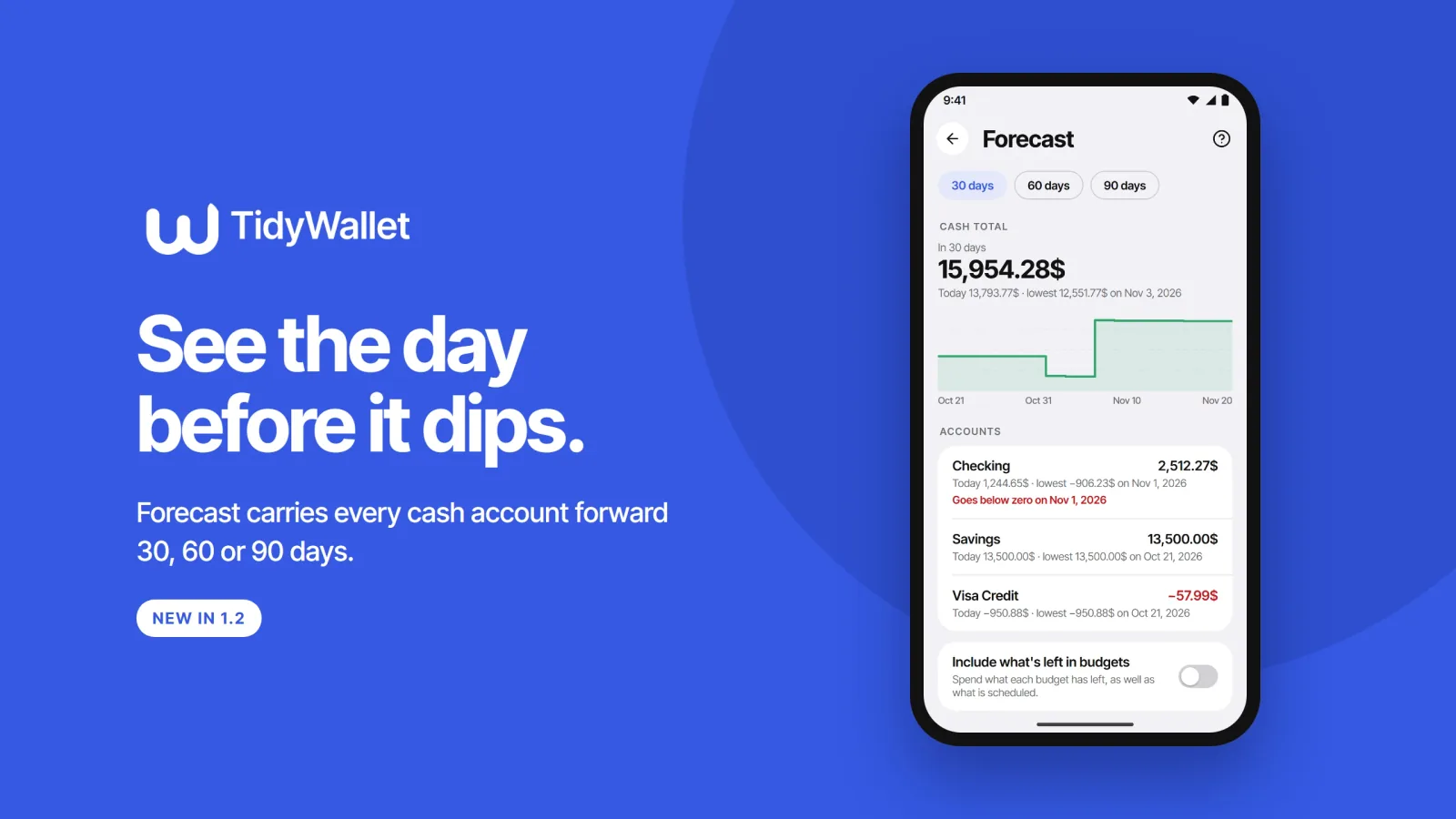
TidyWallet has always been good at telling you what each account holds today. What it couldn't tell you is where an account is heading: whether the rent going out on the 1st, after the card payment on the 28th, leaves your current account below zero before the salary lands. Forecast answers that. It arrives with TidyWallet 1.2, the next update on Google Play, on Android first.
The two screens below are design previews drawn from the 1.2 build, with made-up figures. The app on your phone may differ in small details.
Built from what you already entered
Forecast doesn't guess at your spending habits. It starts from today's balance on each cash account and moves it forward through things the ledger already holds: your standing orders, any entries you've dated in the future, and occurrences that are due but not yet recorded. Every figure comes from something you typed and can find again, and the screen lists each of those movements under Coming up, so you can check the arithmetic yourself.
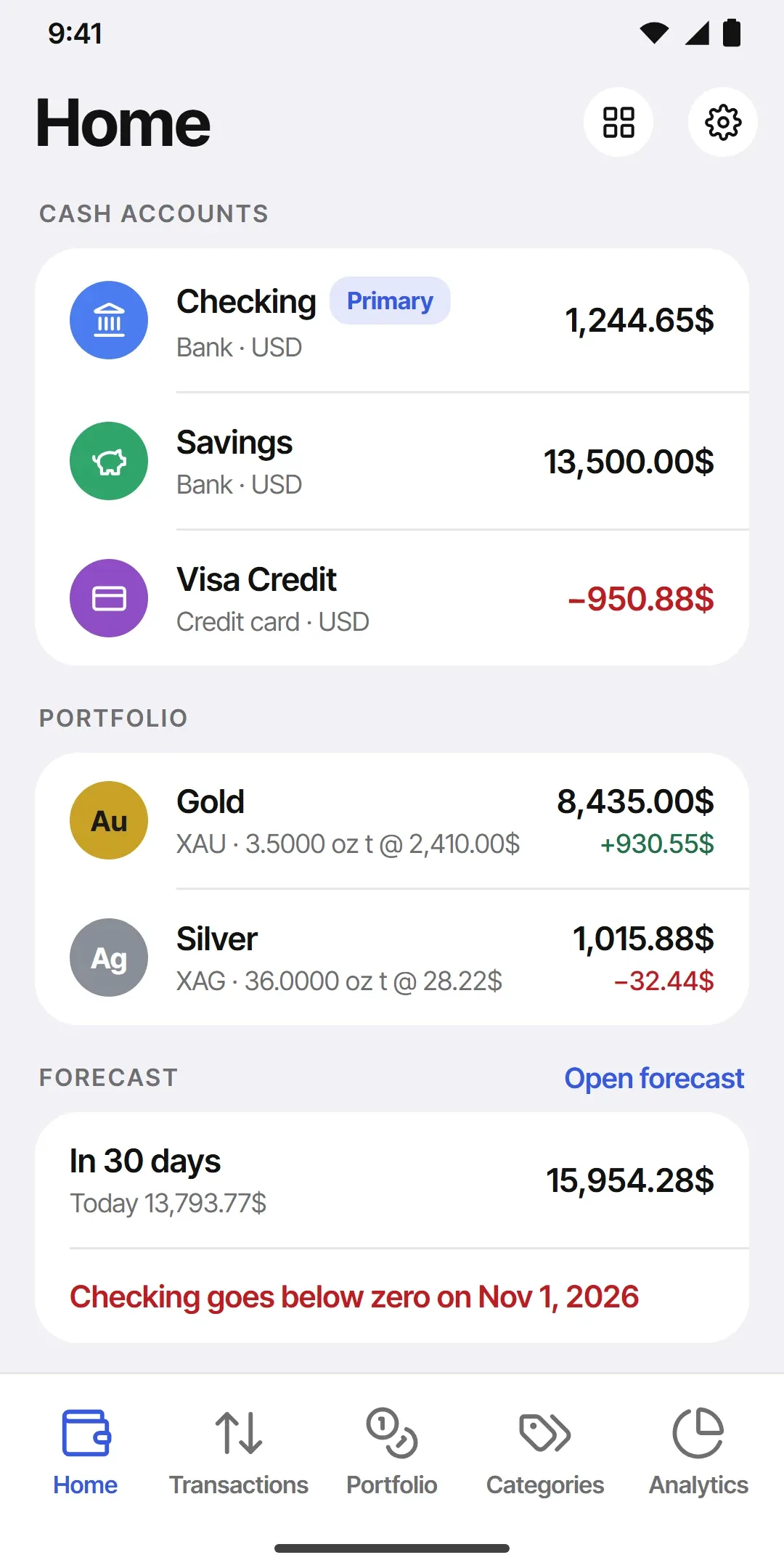
On Home, a new Forecast card shows the cash total today and in 30 days. Under it is one line that matters most: the first account that would go below zero, and on which day. If nothing dips, it says so. You can hide the card or move it like any other card on Home.
The Forecast screen
Tap the card and the full screen opens. Pick 30, 60 or 90 days. The cash total is drawn as a line across the window with today's figure, the end figure and the lowest point, and each account gets its own row with the same three numbers and a red warning under any account that dips.
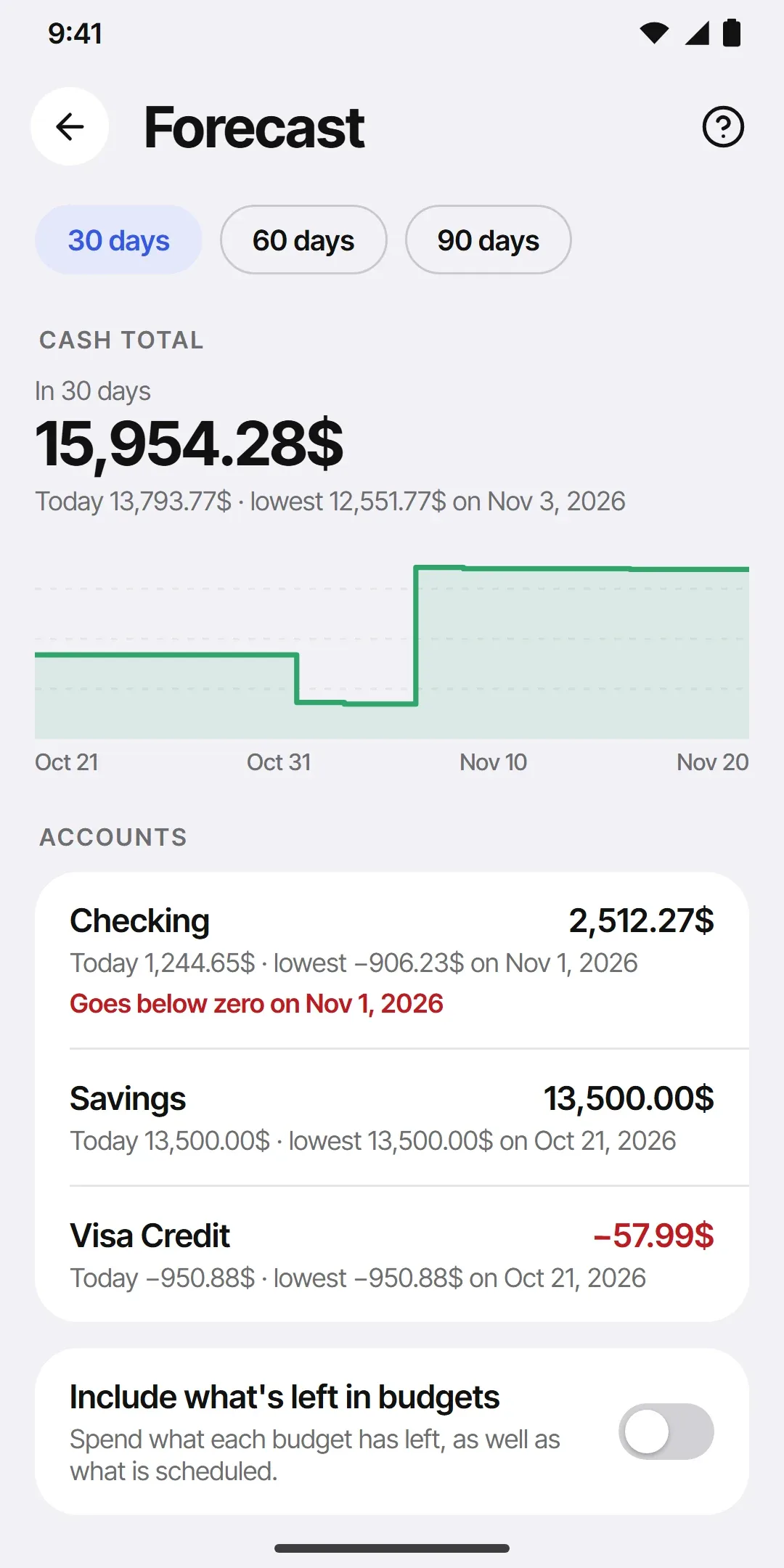
A credit card's balance is negative by design, so for a card the warning is the day it would pass its limit. TidyWallet has no statement day, and it doesn't need one: if you pay the card with a standing order from your bank account, the forecast moves both accounts on that day.
There's also a switch, Include what's left in budgets. Turn it on and whatever each budget still has to spend is spread over the rest of its period, so the forecast assumes you'll spend it. It's off by default. Roll-over from last month is never counted, which keeps the picture on the cautious side.
Free and paid
The free plan shows the next 30 days, warning included. 60 and 90 days are part of the paid plan. The budgets switch is free on both.
Forecast comes with 1.2. If you already have TidyWallet, it shows up at the bottom of Home after the update. If you don't, it's on Google Play, and the TidyWallet project page has the rest of the app.
TidyWallet is a CraftedPxl project. If the forecast gets one of your accounts wrong, tell me which one and why.
About the Author
CraftedPxl is a digital playground exploring the intersection of design, code, and photography.